

App2web, or app-to-web, lets developers sell subscriptions and digital products through web checkout linked from their mobile app. The purchase is then tied to the customer’s app account, unlocking the subscription, content, or features they paid for.
Lower store fees are one reason to consider it. You also get to choose your payment provider, customize checkout, and test web-specific prices and promotions. For a subscription business, those decisions affect both the initial purchase and future renewals.
The challenge is knowing which rules apply. Apple and Google allow external purchases under different regional terms, with requirements covering eligibility, purchase links, disclosures, and transaction reporting.
We’ll walk through the payment options and current app2web requirements for iOS and Android, then show how to connect web checkout, billing, and app access with RevenueCat.
How app2web purchases work
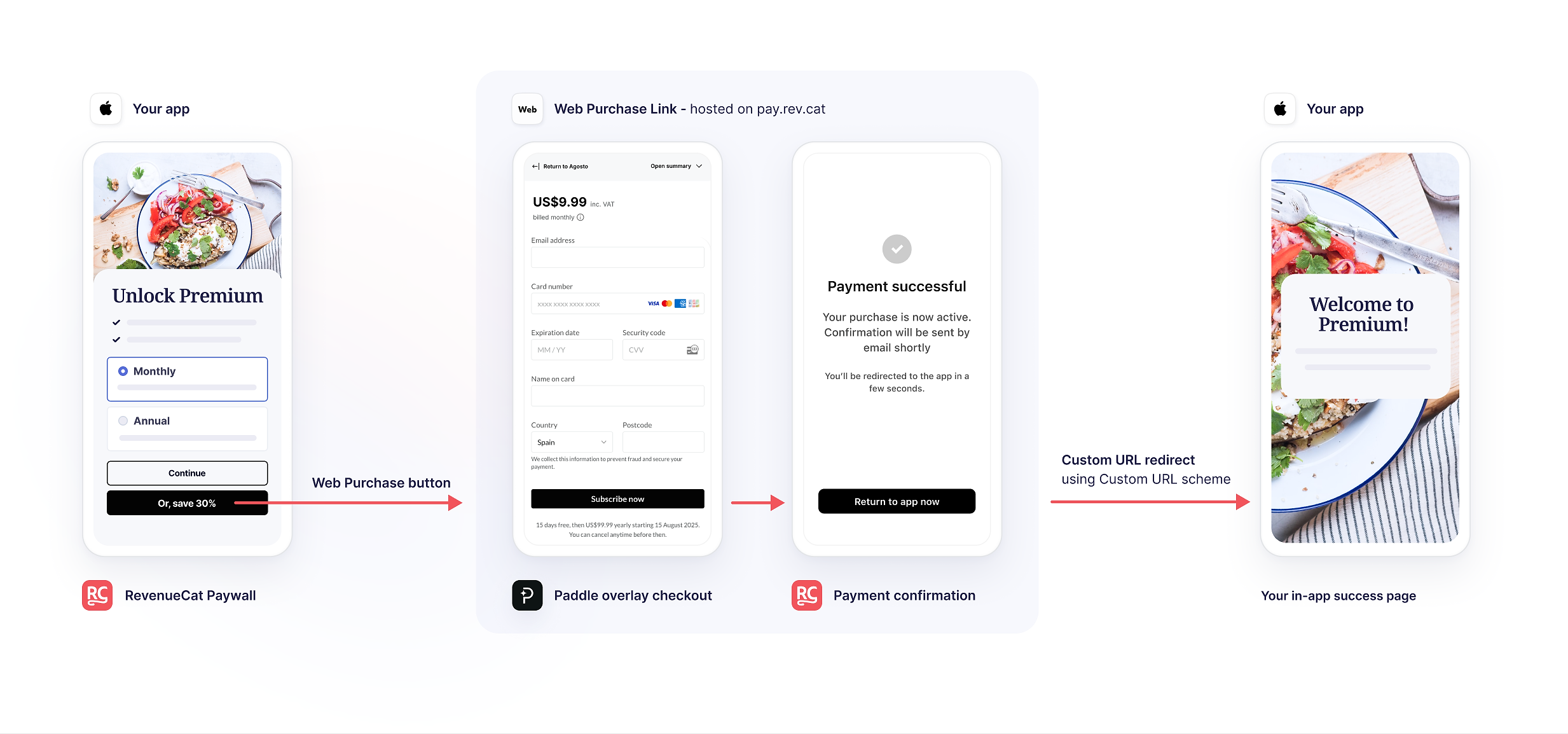
App2web connects a purchase started in your app to checkout on the web. A customer might select an annual subscription on your paywall, follow a purchase link, and pay in their browser. Your billing integration then connects that purchase to their app account and unlocks the subscription.
For example, here’s how a purchase flows from a RevenueCat paywall through Paddle’s web checkout and back into the app with premium access unlocked:
With Apple’s In-App Purchase (IAP) or Google Play Billing, the app store processes the payment. Alternative payments, however, use a third-party payment provider and take two main forms:
- External link-out. A purchase button in your app opens web checkout, either on your website or on a hosted page such as RevenueCat’s Web Purchase Links.
- Third-party payment inside the app. Customers pay through another processor, such as Stripe, using checkout integrated into your app. This can be a payment form or, where permitted, web checkout displayed in an in-app sheet (a panel that opens over the app screen).
"In the EU, Apple's terms effective October 1, 2026 let developers offer alternative payments and web checkout alongside or instead of Apple IAP, each with its own commission.
Apple App Store rules and fees for external purchases
Apple’s rules for external payments depend on the storefront and app category. These determine whether you can offer web checkout or third-party payments inside your app, which requirements apply, and what commission you pay.
Here’s how the guidelines and fees differ across key regions:
Note that Apple’s commission is only part of the cost. You’ll also pay your payment provider’s fees and handle billing support and transaction reporting.
In the EU, Japan, and Brazil, Apple’s link-out commission applies to purchases made within seven days of the tap, with monthly reporting requirements covering relevant renewals and refunds too. For comparison, Apple IAP costs 26% (15% reduced) in all three markets. In Japan and Brazil, that includes a 5% payment processing fee.
Before you run the numbers, check whether you qualify for a reduced rate through the Small Business, Mini Apps, or Video Partner programs, or because a subscription has passed its first paid year.
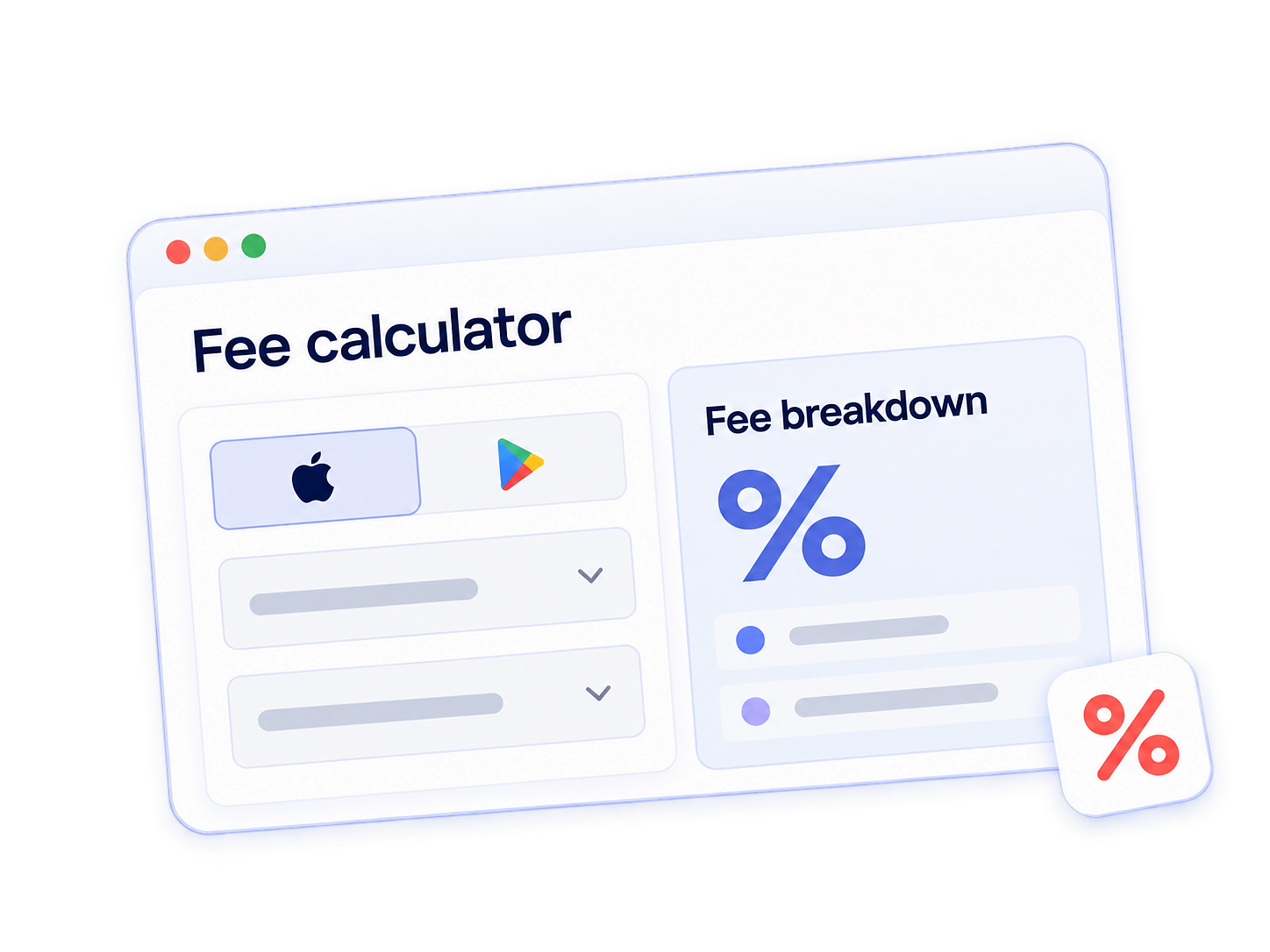
What would you pay for your app?
Use RevenueCat’s App Store fee calculator to compare your current payment mix with the new EU options.
Google Play rules and fees for external payments
Google Play lets eligible apps offer web checkout or third-party payments inside the app through regional programs. Those are separate options, and permission to offer one doesn’t automatically cover the other.
For app2web, you’ll need a program that allows purchase links in your customers’ market. Google still charges a service fee on these web purchases, including in the US, where fees and transaction reporting apply from October 1, 2026.
Here’s how Google’s web-purchase programs and their requirements differ by market:
Before adding web checkout, compare the full cost with what you pay today. The reduced partner rates above apply to qualifying purchases through Google’s Apps Experience and Games Level Up programs, but your payment provider’s fees still come on top. Your team also takes on billing support, refunds, and transaction reporting.
For markets outside the list, User Choice Billing may let you offer another processor inside your app. It’s available to eligible apps in countries including India, South Korea, Brazil, Indonesia, and South Africa, though it doesn’t itself authorize links to web checkout.
How to add app2web purchases to your app
With RevenueCat, you can add web purchases to your existing subscription setup without building a separate system to manage them. It links the web purchase to the customer’s app account, so they can use the subscription or features they bought when they return to your app.
Here’s how to put that into practice:
- Connect your web billing provider. RevenueCat Billing manages web subscriptions alongside your mobile business. You can also use Stripe Billing or Paddle Billing as your billing engine. Connect the web products to the entitlements that unlock your app’s paid features.
- Create the offer and its destination. Web Purchase Links give you a hosted purchase page, while the Web SDK lets you display a paywall on your own site. For example, a returning customer could see a win-back offer in your app and follow it to the corresponding discounted web offering.
- Connect your paywall to the purchase. With RevenueCat’s app-to-web purchases, your paywall’s purchase button can send customers straight to web checkout for their selected package or open a web paywall. With RevenueCat Web Billing, Express Checkout lets supported Apple Pay and Google Pay users confirm payment on that web paywall, skipping a separate checkout page.
- Review web and mobile results together. Once your flow is live, use the Web overview dashboard to track web purchases and conversion, then compare those results with your mobile checkout data. Analyze how many customers complete each purchase flow and how much revenue you retain after fees to decide whether to expand app2web to more customers.
RevenueCat now supports web checkout in a bottom sheet inside your app, using Stripe or Paddle.
Your users can pay without switching to a browser. This option is available where regional store rules permit alternative in-app payments.
Getting started with app2web
App2web can reduce fees and give you more flexibility to experiment with pricing, personalize offers, and test checkout experiences.
The savings, however, depend on your market, your current rate, and how many users complete the web purchase. Start with these three questions:
- How much room do the fees give you? Use the App Store fee calculator to compare your current payment mix with an alternative, including the remaining store commission and your provider’s charges. That difference is the room you have for a discount, lower conversion, or additional operating costs.
- What happens to conversion? Express Checkout and, where permitted, in-app web checkout give you different ways to reduce friction. The question is whether they preserve enough conversion for the fee savings to translate into higher net revenue.
- Who owns the subscription after checkout? Account for transaction reporting, refunds, billing support, and subscription management.
RevenueCat’s app-to-web tools connect web purchases to your existing subscription setup. Start with a permitted flow, measure completed purchases and revenue after fees, and use those results to decide whether to expand it.